Inbox and analytics
Answering comments, messages and reviews
Inbox brings the comments, messages and reviews from your connected accounts into one place, each with two suggested replies written in your voice.
Last updated
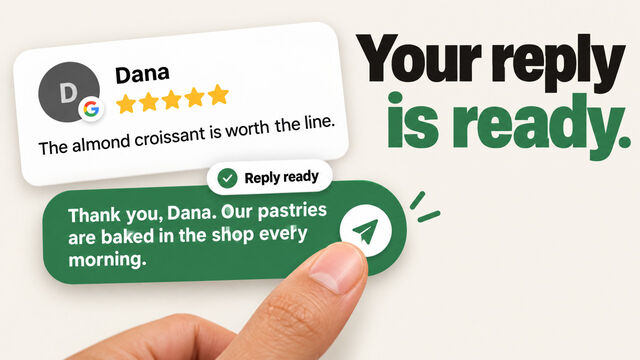
Reply to someone
- Open Inbox from the menu. When someone is waiting for a reply, Home shows it too, and you can tap it to go straight there.
- To see one kind at a time, tap Comments, Messages or Reviews. Anything you haven't read yet has a dot next to it.
- Tap a conversation to open it. You'll see what they wrote, the post it's about, and any replies so far.
- Tap one of the two Suggested replies to put it in the box, change it if you like, and tap send. Or write your own.
A suggested reply never sends by itself. Replies can be up to 2,000 characters.
How the suggestions are written
Suggestions use your brand voice and only the facts we have about your business, from your website or from you. If someone asks something those facts don't answer, the suggestion says you'll check and get back to them, rather than guessing. See Your voice, themes and facts.
What each platform lets you answer here
Not every platform lets apps reply for you. Where it doesn't, answer in the platform's own app.
| Platform | Comments | Messages | Reviews |
|---|---|---|---|
| Yes | Yes | Yes | |
| Yes | Yes | Not on Instagram | |
| X | Yes | Yes, but X hides some messages | Not on X |
| Company pages only | No | Not on LinkedIn | |
| Threads | Yes | No | Not on Threads |
| TikTok | No | No | Not on TikTok |
| Google Business Profile | Not on Google | Not on Google | Yes |
Inbox appears once one of your connected accounts can send things to it.
The rules worth knowing
- 24 hours for messages. Facebook and Instagram only accept a reply to a message within 24 hours of the person's last message. If you're too late, Inbox tells you, and you can answer in their app.
- X hides some messages, so a few may only appear in the X app.
- We keep conversations for 90 days. Older ones are still on the platform.
If a reply doesn't send
Inbox tells you why. Usually the comment was deleted, or the account needs you to sign in again. To fix that, go to Settings > Connected accounts and tap Reconnect.