Your brand and photos
Your photos
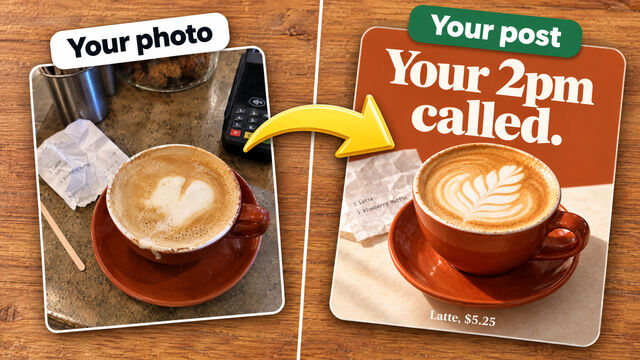
Your own photos make your best posts and videos. Add a few to your Library, and we'll describe each one and use it where it fits.
Last updated
Add photos
- Open Library, then Your photos.
- Tap Add photos and choose your photos. On a computer, you can also drop them anywhere on the page.
- That's it. We write a description of each one, so we know what it shows and can pick the right one later.
You can add JPG, PNG, WebP or iPhone photos, up to 20 at a time and 20 MB each. Photos you attach in Chat are added to your Library too.
Change a photo's details
Open a photo to:
- fix its description, if we got anything wrong
- give it a name, so you can use it in Chat by typing
@and the name - name the people in it, which tells us they're happy to appear in your posts
- turn off Use this photo in posts, so we don't use it in new posts
- tick This isn't my photo for a photo that isn't yours, like another business's post, so we never show it in your posts as if it were yours
- tap Copy its look to make your posts look like that photo. See How your posts look.
You can also edit a photo (brighten it, tidy it or remove something), and we keep the original. Or download it, or remove it. If a scheduled post uses the photo, we tell you first, and that post still goes out as it is.
What else is in your Library
- Posts we made: every picture, carousel and video we've made for you. Download any of them, or ask for another one like it.
- Saved: posts and videos you like, from any account. Add a screenshot and we can make your own version. See Making a post.
Which photos make the best posts
- One straight-on shot of each product, on a plain background.
- One in someone's hand, so people see its size.
- One of your space: your shop, studio, kitchen or van.
- Real beats made up. A real photo of your product makes a better post than anything we can create.
For videos, use photos that are at least 300 pixels on each side, with nothing printed on them and no faces. See Videos.
If a post needs a product we don't have a photo of, we make a designed card instead and ask you for a photo. Add it, and your next posts use it.